Free Invoice Templates – Download Sample Invoice Templates
This guide explains how to choose, customise and use free invoice templates so you can bill clients clearly and get paid on time. You will learn what makes an effective invoice template, which elements to include for clarity, and practical design and delivery tips that improve professionalism and reduce disputes. Whether you run a small service business, freelance, or manage billing for a growing company, a well-structured invoice template saves time, reduces errors and presents your charges in a way clients understand. The guide focuses on practical recommendations you can apply immediately: what fields to capture, how to structure line items, and simple layout and communication practices that increase the chance of timely payment. It also covers everyday workflow advice for keeping templates organised and reusing them across projects, so you spend less time creating invoices and more time on your core work. By the end of this article you will be able to pick or build a template that suits your business, avoid common pitfalls, and send invoices that look professional and minimise follow-up.
Understanding an Invoice
An invoice is a written record of goods supplied or services rendered and the amount due from a buyer to a seller. At its core an invoice communicates what was provided, who provided it, who is being billed, and how much is owed. Clear invoices reduce confusion, support bookkeeping, and form the basis for follow-up if payment becomes overdue.
From a practical perspective an invoice serves multiple purposes: it prompts the buyer to pay, provides a paper trail for accounting, and documents terms of the transaction. A consistent template ensures every invoice contains the same essential information so you can file or search records quickly and respond to client queries without friction.
What to include in a template
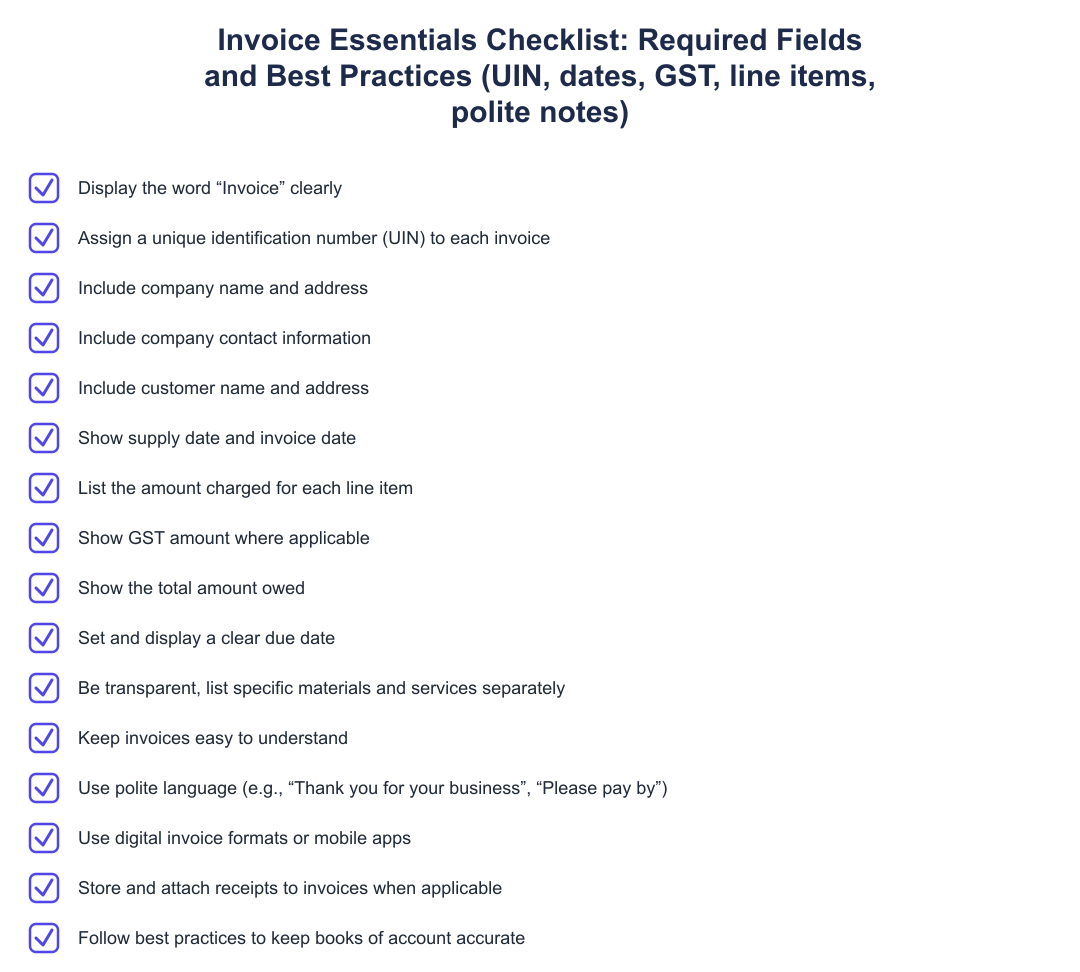
A useful invoice template groups information into logical sections: seller and buyer contact details, a unique invoice identifier, relevant dates, a clear list of goods or services, unit prices and quantities where applicable, any adjustments or discounts, and a final amount due. Including a concise description for each line item helps the recipient understand and approve the charge without having to ask for clarification.
Also include payment instructions so the recipient knows how to settle the invoice, and a clearly displayed due date to set expectations. If you have standard terms about late payment or accepted payment methods, place them where they’re visible but not intrusive. Keep the template flexible enough to accommodate one-off particulars while maintaining a consistent structure across all invoices.
Design and format tips
Simplicity and legibility are the most important design goals. Use a readable font, adequate spacing, and headings to separate sections. Avoid cluttering the invoice with excessive branding or decorative elements that distract from the core billing information. A subtle logo and consistent colour palette are usually enough to convey professionalism.
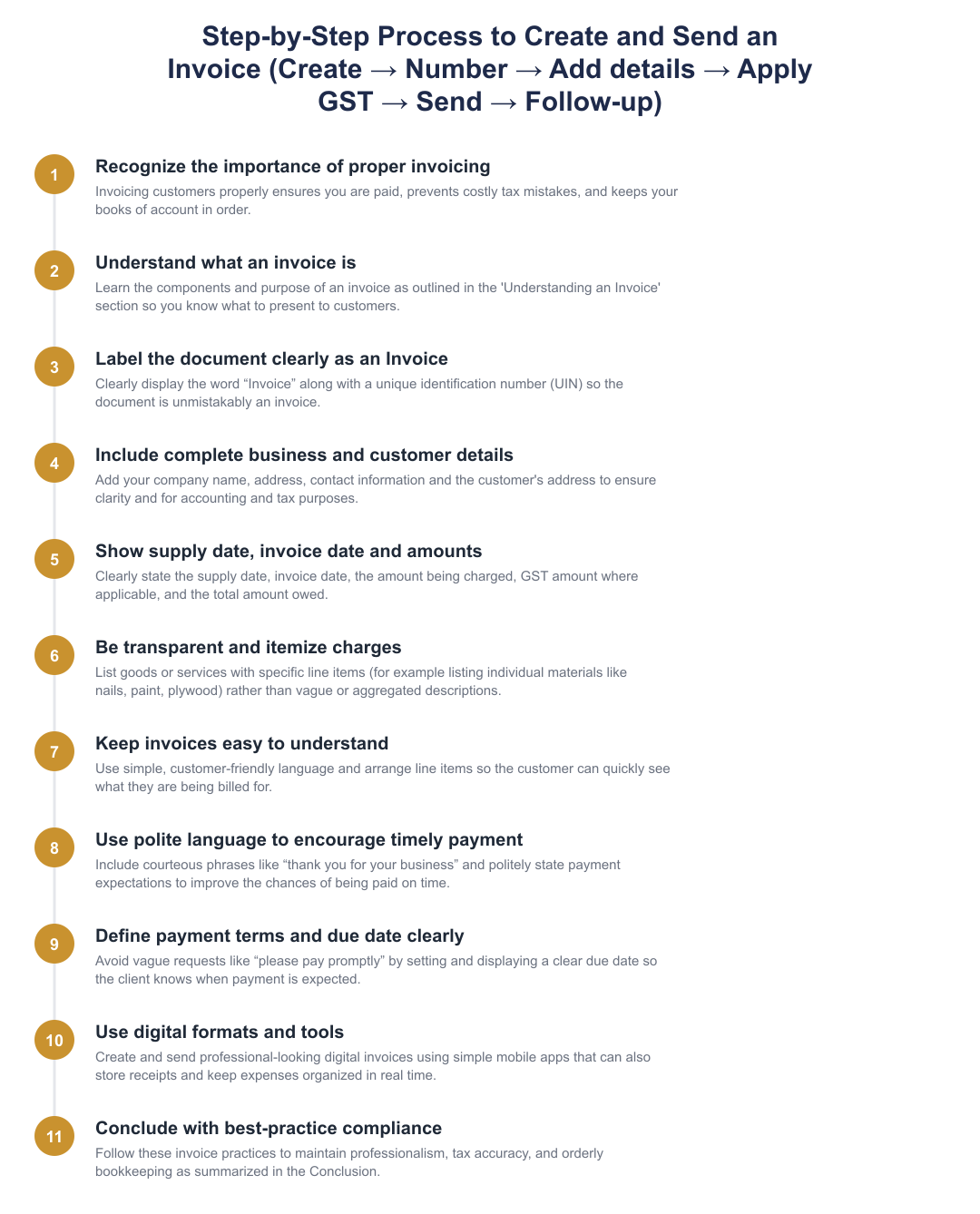
Use line itemisation so each product or service has its own row with a brief description. This transparency helps clients verify charges quickly. Ensure numeric data, quantities, rates, totals, align in columns so totals are easy to scan. When sending invoices electronically, provide a PDF version to preserve formatting across devices and platforms.
How to use templates effectively
Keep a master copy of each template and create versioned templates for different use cases, such as one-off projects, recurring services, or product sales. Reusing templates reduces errors and speeds up invoice creation. Include placeholder text for variable fields to make filling in details faster and less error-prone.
Adopt a routine for saving and naming issued invoices so you can retrieve them easily for accounting or client queries. When possible, deliver invoices via a method the client prefers, email, client portal, or integrated invoicing tools, and follow up politely if payment is late. Automated reminders or scheduling periodic reviews of outstanding invoices will cut down on collection time.
A well-crafted invoice template is a small investment that pays off in clarity, professionalism and faster payments. Focus on clear line items, essential contact and payment information, and a simple, legible layout. Keep organised templates for different billing scenarios and adopt consistent naming and delivery practices. With these habits in place you’ll reduce billing friction and spend less time chasing payments.
Frequently asked questions
What information must be on a proper business invoice?
A proper business invoice must clearly show the word “Invoice”, a unique identification number (UIN), your company name and address, the customer's name and address, invoice date, supply date, line‑item descriptions, the amount charged, GST amount where applicable, and the total amount owed. Including contact information for queries and a clearly stated due date further reduces confusion and speeds up payment. For GST-registered supplies you should also mention the GST rate and total GST separately; for exempt supplies note that GST is not applicable.
Why should I use a template for my invoices?
You should use an invoice template because it ensures consistency, reduces errors, and saves time when billing multiple customers. Templates prefill essential fields like UIN, company details, and tax calculations so you don't miss required information and can maintain clean books for tax filing. Using a template also projects a professional image and makes it easier to track due dates and outstanding payments.
How do I list charges on an invoice so clients understand them?
List each charge as a separate, specific line item with a clear description, quantity, unit rate and line total so clients can immediately see what they are being billed for. Avoid vague labels like “materials” and instead list individual items (for example, nails, paint, plywood) or distinct services with hours and rates. This transparency reduces disputes, helps clients approve payments faster, and aids your expense tracking for tax purposes.
Is it important to include a due date on an invoice?
Yes, it is important to include a clear due date on an invoice because vague terms like “please pay promptly” lead to misunderstandings and delayed payments. A specific due date (for example, Net 15 or a calendar date) sets expectations and provides a basis for follow-ups or late-fee terms if you have them. Display the due date prominently to avoid disputes and maintain predictable cash flow.
Should I send invoices in digital format or on paper?
You should send invoices in digital format because digital invoices look professional, are faster to deliver, and can be stored and searched easily for accounting and tax audits. Mobile apps and invoicing software can create, send, and archive invoices, attach receipts, and automatically calculate taxes like GST where applicable. Digital records also help keep expenses organized in real time and simplify claiming deductions or responding to client queries.
Do invoices need to show GST even if it's not charged?
If GST is not charged because the supply is exempt or the supplier is not registered, the invoice should state that GST is not applicable or the reason for exemption. For taxable supplies, you must separately show the GST rate and GST amount on the invoice to comply with GST recordkeeping. Clear notation avoids confusion during client billing and when filing GST returns.
Can invoice templates help prevent tax mistakes?
Yes, invoice templates can help prevent tax mistakes by auto‑including mandatory fields (like UIN, supply date, GST details) and standardizing how tax amounts are calculated and displayed. Templates reduce manual entry errors and make it easier to reconcile sales and GST returns, decreasing the likelihood of audit issues or penalties. Using templates with built-in tax rules ensures consistent treatment across invoices and simplifies bookkeeping.
What wording should I use on invoices to encourage prompt payment?
Use polite but specific wording such as “Please pay by [due date]” and include a short thank-you note like “Thank you for your business” to encourage prompt payment. Also state payment methods accepted (bank transfer, UPI, cheque) and any late-payment terms (for example, 1.5% interest per month after X days) to set clear expectations. Clear language and visible due dates reduce excuses and speed up collections without sounding adversarial.
How should I store invoices and receipts to keep my books in order?
You should store invoices and receipts digitally in an organized folder structure or accounting system that links sales invoices to supporting receipts and payment records for easy retrieval. Many mobile invoicing apps can capture receipt images, attach them to invoices, and keep a timestamped audit trail, helpful for bookkeeping and tax audits. Retain records for the statutory period (usually several years under Indian tax laws) and back them up to prevent loss.
Need help staying Finance Templates compliant?
MoneyGence's AI Finance OS tracks your compliance, wallet share, and finances in one place, built for agencies and growing businesses.
Get started with MoneyGence