Post Office PPF Calculator, Calculate Returns at 7.1% p.a.
This guide explains the Post Office PPF calculator: what it is, how it works, and why using one matters for long-term savings. You will learn how the calculator models the future value of a Public Provident Fund (PPF) account using a few simple inputs, how those inputs influence maturity outcomes, and practical ways to use the tool to plan for goals such as retirement, education or building a tax-efficient savings corpus. While the Public Provident Fund itself is a tax-saving investment, a calculator helps you visualise how regular contributions and the interest chosen for projection convert into a maturity amount over time. Understanding the mechanics of the calculator, which relies on a few core variables, lets you experiment with different contribution levels, durations and assumed interest scenarios so you can make informed decisions. This guide focuses on the calculator’s logic, the inputs you need, and how to interpret the results so you can align a PPF strategy with your financial goals.
What Is Post Office PPF Calculator?
A Post Office PPF calculator is a digital tool that projects the future value of a PPF account based on user-provided inputs. Instead of manual arithmetic over many years, the calculator uses a simple model that combines your regular contributions with an assumed interest parameter to estimate the maturity amount.
The calculator does not replace professional advice but serves as a planning aid. By changing the inputs, you can compare scenarios, for example, varying the annual contribution or the investment duration, to see how those choices affect the final corpus.
How Can Post Office PPF Calculator Help You?
A calculator helps translate abstract savings goals into concrete numbers. It shows how much you need to contribute and for how long to reach a target maturity amount, making long-term planning more realistic and actionable.
Beyond goal-setting, the tool is useful for comparing different contribution patterns or timelines. You can test the impact of increasing contributions, extending the investment period, or altering the assumed interest rate to see which strategy best meets your needs.
How Does Post Office PPF Calculator Work?
At its core the calculator combines your periodic contributions with interest assumptions to estimate a maturity value. It requires a few basic inputs from you and applies a time-value calculation across the chosen investment horizon.
The tool typically runs through each year of the investment period to aggregate contributions and apply the assumed interest for that period. It then sums the accumulated principal and interest to produce a projected maturity amount, this is how you can see the effect of compounding over time.
Formula For Post Office PPF Calculator
The calculator uses a set of variables to represent the key inputs and output. These variables are: M for the total maturity value by the end of the investment period; P for the amount contributed annually; i for the interest rate used in the projection; and n for the total number of years until maturity.
Understanding these variables helps you manipulate the model: increasing P or n will generally raise M, while the assumed i controls the strength of compounding. When you enter realistic values for these inputs, the calculator converts them into a projected maturity figure that you can use for planning.
Example For Post Office PPF Calculation
A worked example typically demonstrates how annual contributions tracked over multiple years and compounded at an assumed rate culminate in a maturity amount. Although figures vary by individual circumstances and assumed interest, the structure of such an example highlights contribution accumulation and interest compounding.
Use the calculator to run your own examples: input your annual contribution (P), choose an interest assumption (i), and set the investment horizon (n) to see the resulting maturity value (M). Running multiple scenarios lets you compare outcomes and refine your savings plan.
Benefits Of Post Office PPF Calculator
The main practical benefit is planning clarity: the calculator shows how regular, disciplined investing translates into a future corpus, helping you align contributions with goals and timelines. Visualising growth keeps long-term objectives tangible and helps you make trade-offs between contribution size and duration.
Another key advantage is decision support. By modelling different scenarios you can decide whether to prioritise higher annual contributions or a longer investment period. And because the Public Provident Fund is a tax-saving investment, using the calculator helps you estimate how a tax-efficient vehicle could fit into your overall financial strategy.
Post Office PPF Interest Rate
The calculator requires an interest rate input to project future value. Because official PPF interest rates can change over time, the tool typically lets you specify an assumed rate so you can model optimistic or conservative scenarios.
When using the calculator, treat the interest input as an assumption rather than a guaranteed figure. Running the same contribution plan with several different interest assumptions helps you understand sensitivity and risk in your projection.
Tax Benefits Of Post Office PPF Investments
Public Provident Fund investments are recognised as tax-saving, this is an important consideration when choosing long-term, low-risk instruments. The tax advantage improves the effective return relative to a non-tax-advantaged product with the same nominal interest.
When planning with a calculator, remember that the tax-saving nature of PPF enhances its role in a diversified portfolio. Use the projected maturity figures alongside tax planning objectives to decide how much to allocate to PPF versus other assets.
Frequently Asked Questions
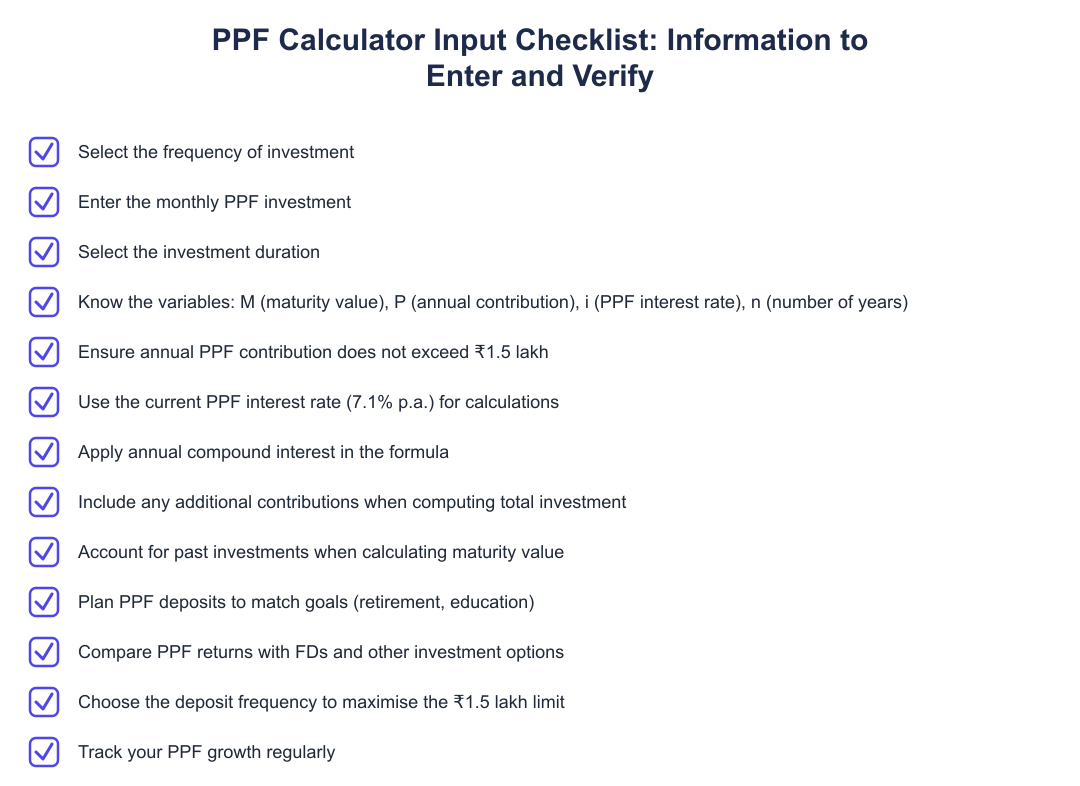
What inputs do I need? You need to provide an annual contribution amount, an interest rate assumption, and the investment duration so the calculator can produce the maturity figure represented by the variable M.
How should I use the results? Treat the output as a projection based on your inputs. Run multiple scenarios with different contribution levels and interest assumptions to form a robust plan for meeting your financial goals.
A Post Office PPF calculator is a simple but powerful planning aid that translates regular, tax-saving PPF contributions and an interest assumption into a projected maturity amount. By experimenting with the core variables, annual contribution (P), interest rate (i), duration (n), you can design a savings path that matches your goals and risk tolerance. Use the tool to compare scenarios and make informed, tax-aware decisions about long-term savings.
Frequently asked questions
What is a Post Office PPF calculator and what does it do?
A Post Office PPF calculator is an online tool that estimates the maturity value of your Public Provident Fund (PPF) by using your yearly investment, the PPF interest rate (7.1% p.a. for post office PPF on this page), and the investment period. It simplifies planning by showing potential returns and the total interest you can expect at maturity so you don't have to perform manual compound-interest calculations. The calculator typically accepts deposit frequency (monthly or yearly), your contribution amount, and the duration to compute the final maturity amount. It is useful for comparing PPF against other investments like fixed deposits and for goal-based planning such as retirement or education funding.
How does the Post Office PPF calculator compute maturity value?
The Post Office PPF calculator computes maturity by applying the compound interest formula on your annual PPF contributions at the applicable interest rate (7.1% p.a. here), compounded annually, over the total number of years until maturity. The calculation uses variables such as M (maturity value), P (annual contribution), i (interest rate), and n (number of years) to roll up yearly contributions and interest. For monthly deposits the calculator annualises or compounds monthly as per the chosen frequency before applying the rate; you provide deposit frequency, amount and duration and the tool gives the final value. It also shows the split between total invested capital and interest earned to help you understand returns.
What formula does the Post Office PPF calculator use to calculate maturity?
The Post Office PPF calculator uses the standard compound interest approach where M (maturity) is derived from P (annual contribution), i (annual interest rate) and n (total years) by compounding each yearly contribution until maturity. Practically, each year's contribution earns interest for the remaining years to maturity, and the final maturity is the sum of all compounded yearly contributions plus principal. The calculator therefore accumulates contributions year-by-year rather than treating the entire sum as a single lump-sum investment, which accurately reflects PPF rules and annual compounding. This method lets you see how early contributions grow more due to longer compounding than later ones.
Can you give a worked example of PPF calculation using the Post Office PPF calculator?
Yes, for example, if your annual investment is ₹1,50,000, the interest rate is 7.1% (compounded annually) and the duration is 15 years, the calculator compounds each yearly deposit at 7.1% until maturity and sums them to give the final maturity amount. If you had a past investment of ₹22,50,000 and then made an additional contribution series equal to ₹1,50,000 × 5 = ₹7,50,000, your total invested would be ₹30,00,000 and the interest earned (total including past and new) may be shown as ₹36,58,288, giving a maturity amount of ₹66,58,288. The example shows how the tool combines prior balance, new contributions and interest to produce the maturity figure and interest component separately. Using such examples helps you visualise how additional contributions and duration affect final returns.
What is the current post office PPF interest rate used in this calculator?
The Post Office PPF calculator on this page uses an interest rate of 7.1% per annum, compounded annually, to estimate returns. This rate is applied to each yearly contribution for the remaining tenure to maturity, which means early deposits earn interest for more years than later ones. Remember that PPF interest rates can be revised by authorities periodically, so the calculator's results reflect the rate you input or the rate shown on the page at the time. You can adjust the rate in most calculators if the official rate changes to get updated estimates.
What tax benefits are considered when using the Post Office PPF calculator?
The Post Office PPF calculator assumes PPF is a tax-saving instrument with contributions eligible for deduction under Section 80C up to the ₹1.5 lakh annual limit, and that maturity and interest are tax-free under current rules. That means your annual deposits (subject to the overall 80C cap) lower your taxable income, and the final maturity amount is not taxed, which improves effective post-tax returns. The calculator typically shows gross maturity; to understand post-tax impact, factor in your marginal tax rate plus the Section 80C benefit you receive. Note that tax laws can change, so use the calculator's outputs alongside current tax rules for precise planning.
What are the benefits of using a Post Office PPF calculator when planning investments?
Using a Post Office PPF calculator helps you plan smartly by showing how your PPF grows to meet goals like retirement or education, enabling better goal alignment and disciplined saving. It lets you compare PPF returns against fixed deposits and other options, helping choose the best instrument based on projected maturity amounts. The calculator also helps you maximise the ₹1.5 lakh annual limit by showing the effect of deposit frequency and amount, and motivates you by letting you track expected growth over time. Overall, it reduces complexity, saves time on manual math, and aids decision-making with clear invested vs interest breakdowns.
How do I use the Post Office PPF calculator step-by-step?
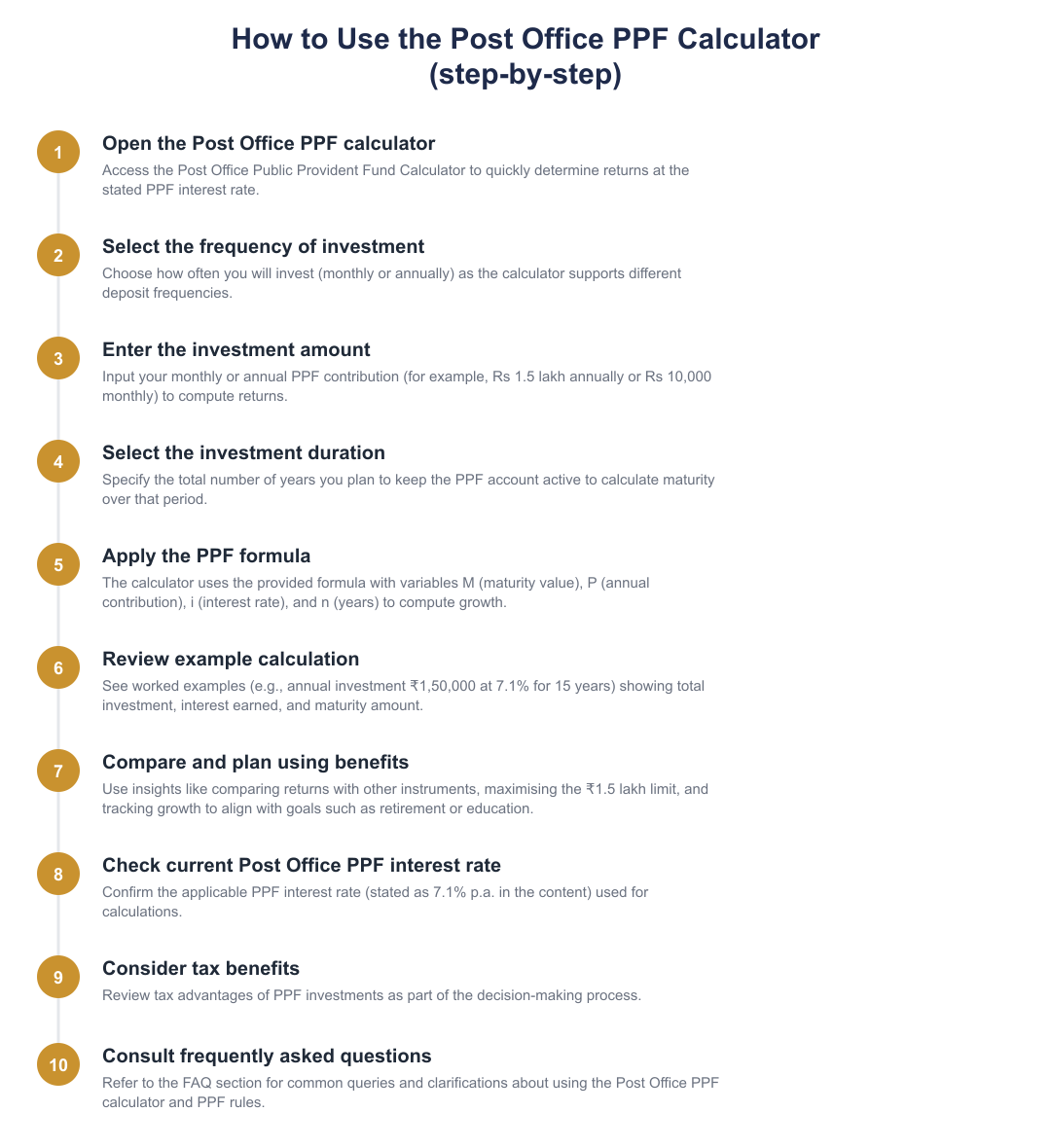
To use the Post Office PPF calculator, first select the frequency of investment (monthly or annual), then enter the amount you plan to deposit (for example monthly or annual contribution) and finally choose the investment duration in years. After entering these details, the calculator automatically computes the maturity amount by compounding each deposit at the specified interest rate (7.1% p.a. on this page) and shows total investment, interest earned and final maturity value. Some calculators also let you tweak the interest rate or include existing PPF balances to get an accurate projection. Review the results and adjust contribution or duration to meet your financial goals.
Can the Post Office PPF calculator help me compare PPF with other investment options?
Yes, the Post Office PPF calculator helps compare PPF returns with other options by quickly showing PPF's projected maturity at 7.1% p.a. and letting you contrast that with projected returns from fixed deposits or mutual funds using their assumed rates. By running side-by-side scenarios (same investment amount and duration) you can see which product gives higher maturity, tax treatment differences, and liquidity constraints. This makes it easier to decide based on after-tax returns, tenure and risk profile rather than gut feeling. For a fair comparison, ensure you use comparable compounding frequencies and account for tax implications of each product.
Need help staying Calculators compliant?
MoneyGence's AI Finance OS tracks your compliance, wallet share, and finances in one place, built for agencies and growing businesses.
Get started with MoneyGence