Form 26AS: Meaning, Structure & Benefits for FY 2025-26
This guide explains what Form 26AS is, how to access it, what information it contains and why it matters for taxpayers filing returns for FY 2025-26. You will learn the practical differences between Form 26AS and the newer Annual Information Statement (AIS), how Form 26AS relates to TDS certificates such as Form 16 and Form 16A, and what to do if entries in Form 26AS are missing or mismatched. Understanding Form 26AS helps ensure you claim all tax credits correctly, avoid notices from the tax department, and reconcile your deductor-issued certificates with the consolidated tax statement maintained against your PAN. The guide also gives a step-by-step method to download Form 26AS from the government portals and highlights the additional data covered by AIS that taxpayers should be aware of when reviewing their records.
What is Form 26AS?
Form 26AS is a consolidated tax credit statement provided on the Income Tax Department portal and linked to your PAN. It compiles details of taxes related to a financial year so a taxpayer can view a single summary of tax credits available against their PAN.
Specifically, Form 26AS includes details of tax deducted at source (TDS) and tax collected at source (TCS), along with other tax-related entries maintained by the department. Because it is an official, consolidated record on the tax portal, Form 26AS is a primary reference when validating TDS/TCS reported by deductors and for preparing an accurate income tax return.
How to Download Form 26AS
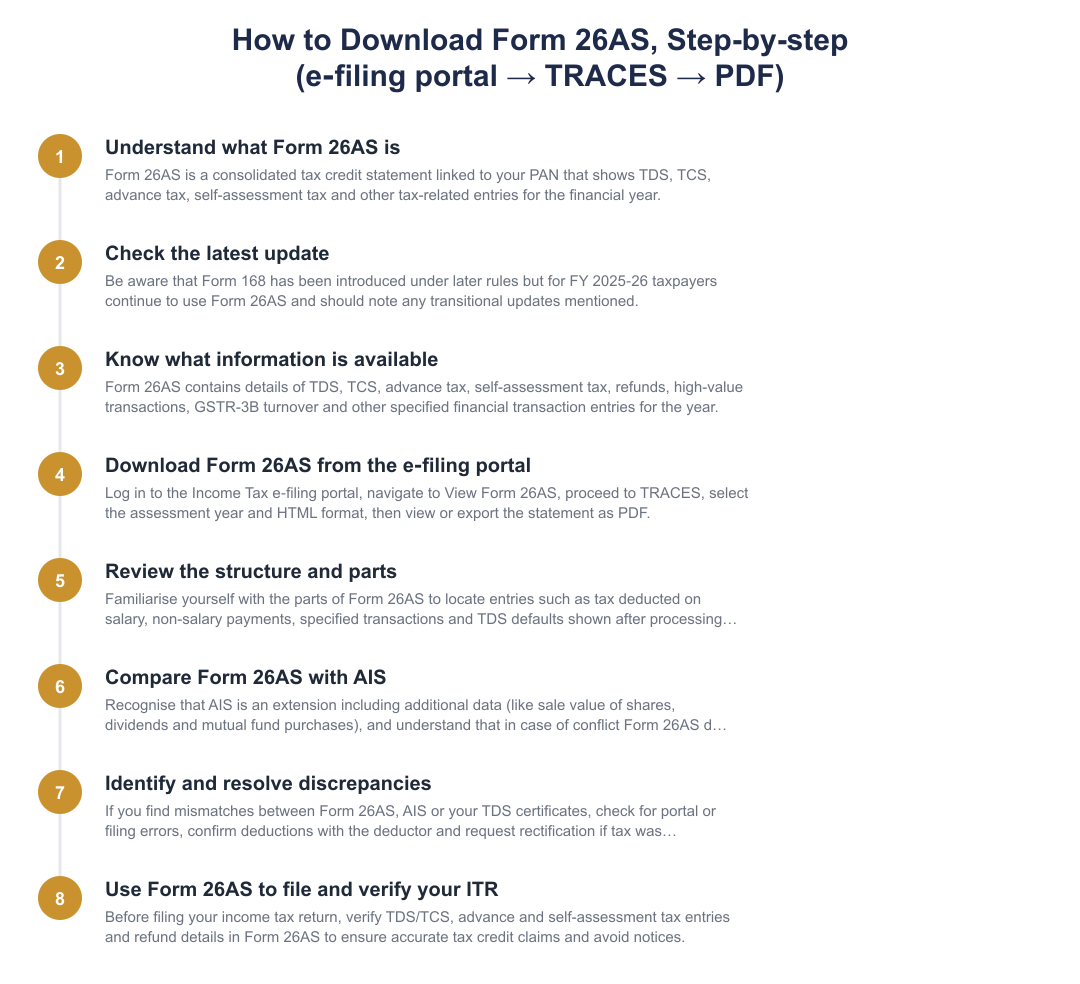
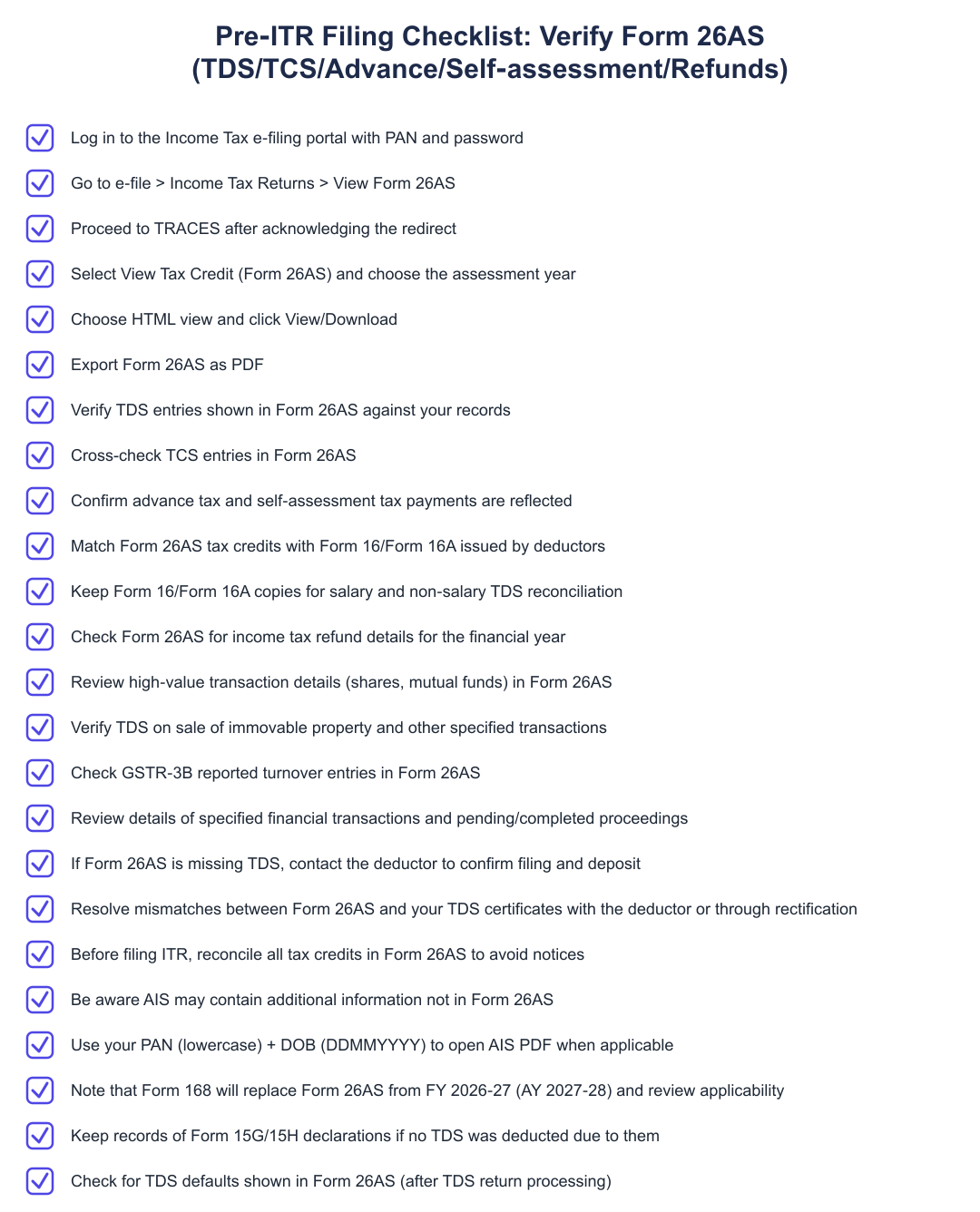
Sign in with your PAN and e-filing credentials and navigate to the e‑file menu.
Under e-file choose Income Tax Returns and click View Form 26AS; this action redirects you to the TRACES system.
On TRACES confirm the acknowledgement box, select View Tax Credit (Form 26AS), pick the assessment year and choose HTML.
Click View/Download and export the displayed Form 26AS as a PDF for your records.
TDS Certificates vs Form 26AS
| Particulars | Form 16 | Form 16A | Form 26AS |
|---|---|---|---|
| Meaning | TDS certificate issued in respect of salary income; contains salary details, exemptions, deductions and tax deducted. | TDS certificate issued for income other than salary (e.g., interest, professional fees, rent). | Consolidated tax statement linked to the taxpayer’s PAN, summarising tax credits. |
| Issued by | Employer. | Deductor (e.g., bank, company or other person deducting tax). | Income Tax Department portal. |
| Purpose | Evidence that tax has been deducted from salary and deposited with the government. | Evidence that tax has been deducted from specified non-salary payments and deposited with the government. | Consolidated record of TDS, TCS and other tax-related entries for reconciliation and filing. |
Information Available on Form 26AS
Form 26AS contains the tax credits recorded against your PAN for a financial year, encompassing the details of TDS and TCS. This consolidated statement helps taxpayers verify amounts that deductors claim to have deposited on their behalf and supports accurate tax return preparation.
If a taxpayer discovers that Form 26AS does not reflect a TDS entry they expect, possible reasons include a technical error on the tax portal or that the deductor did not deduct or deposit the tax. In such situations the taxpayer should check with the deductor to confirm whether TDS was actually deducted and filed; if the deductor has not deposited the tax, the deductor must rectify the omission so the credit can appear in Form 26AS.
Introduction of Annual Information Statement (AIS) and Key Differences with Form 26AS
The Annual Information Statement (AIS) was introduced to bring additional datasets into the tax administration’s view. AIS incorporates new details such as foreign remittances, off-market transactions, interest on income tax refunds, mutual fund purchases, and dividend details, items that are not included in Form 26AS.
Because AIS contains broader information (for example sale value of shares, dividends and purchase of securities), taxpayers should review both Form 26AS and AIS when reconciling their financial transactions. Where there is a conflict or discrepancy between the two, official guidance indicates that the information in Form 26AS will prevail in those circumstances where reliance on portal data is necessary and the taxpayer lacks further information.
Benefits of Form 26AS and Why You Must Check It Before Filing
Form 26AS offers a single consolidated view of tax credits linked to your PAN, which simplifies verification of tax deducted and deposited by multiple deductors. This consolidation reduces mistakes in tax return filing and helps ensure that you claim the tax credits you are entitled to.
Ignoring Form 26AS while filing your income tax return can have consequences: discrepancies between Form 26AS and your filed return can trigger an income tax notice. Regularly reconciling your Form 26AS with issued TDS certificates and your return reduces the risk of notices and helps you take corrective action early if entries are missing or incorrect.
Form 26AS is an essential pre-filing check, it consolidates TDS/TCS and other tax credits maintained by the Income Tax Department against your PAN. Use the stepwise download process to fetch your statement, compare it with Form 16/Form 16A and with AIS where needed, and follow up with deductors promptly if entries are missing. Careful reconciliation reduces the chance of notices and ensures accurate filing for FY 2025-26.
Frequently asked questions
What is Form 26AS and why should I check it before filing my ITR?
Form 26AS is a consolidated tax credit statement that shows all TDS, TCS, advance tax, self-assessment tax and refunds linked to your PAN for a financial year. It acts like a tax passbook so you can verify that taxes deducted by employers, banks or other deductors have been deposited with the government; even a single missing entry can trigger an income-tax notice. Form 26AS also contains high-value transaction information (like property or mutual fund transactions) and GST turnover reported in GSTR-3B, so checking it helps you reconcile income and claim correct tax credits while filing your ITR. Regularly reviewing Form 26AS reduces the chance of mismatches and the need for corrections or responses to notices after filing.
How do I download Form 26AS online from the income tax portal?
You can download Form 26AS by logging into the Income Tax e‑filing portal with your PAN and password and navigating to e‑file > Income Tax Returns > View Form 26AS, which redirects you to the TRACES website. On TRACES select 'View Tax Credit (Form 26AS)', pick the assessment year and format (HTML or PDF), then click 'View/Download' and 'Export as PDF'; authorised banks' netbanking portals can also provide Form 26AS without logging in to e‑filing. For best results choose the assessment year corresponding to the financial year you are filing for and retain the downloaded PDF for your ITR records. If an entry is missing, contact the deductor to confirm whether they filed and deposited the TDS and rectified any errors.
What information is available on Form 26AS?
Form 26AS contains details of tax deducted at source (TDS), tax collected at source (TCS), advance tax, self-assessment tax, regular assessment tax, and income-tax refunds received during the financial year. It also shows certain high-value transactions (shares, mutual funds), TDS on sale of immovable property, TDS defaults after processing returns, GST turnover reported in GSTR‑3B and specified financial transactions for information purposes. This consolidated information helps you verify tax credits, reconcile with Form 16/16A and ensure all reportable receipts are included in your ITR to avoid mismatches and notices.
What are the different parts or structure of Form 26AS I should know about?
Form 26AS is structured into parts that list TDS details (deductor-wise), TCS entries, advance and self-assessment tax payments, regular assessment tax, refund details, high-value transactions and TDS defaults after processing TDS returns. Each part provides details such as deductor TAN, date of deposit, and amount of tax credited against your PAN, and separately flags information-only items like significant transactions or GST turnover. Understanding each part helps you match entries with your Form 16/Form 16A and bank statements so you can identify uncredited TDS or reporting errors before filing your ITR.
What are the main benefits of using Form 26AS?
Form 26AS helps you verify that tax deducted or collected on your behalf has actually been deposited with the government and shows consolidated tax credits for easy ITR filing, reducing errors and notices. It aids reconciliation with TDS certificates (Form 16/16A), supports accurate income computation, and lets you check refund amounts and high-value transaction reporting such as property or mutual fund purchases. By reviewing Form 26AS before filing, you can detect missing or incorrectly reported tax entries and ask deductors to rectify them, preventing future disputes and liabilities.
What is the Annual Information Statement (AIS) and how does it relate to Form 26AS?
The Annual Information Statement (AIS) is a broader data set introduced by the Income Tax Department that includes additional information not present in Form 26AS, such as foreign remittances, off‑market transactions, mutual fund purchases and dividend details. AIS supplements Form 26AS by capturing a wider range of information sources (including data reported by third parties and other taxpayers), and it is intended to help taxpayers cross-check more categories of transactions. However, where there is a mismatch between AIS and Form 26AS, Form 26AS generally prevails for tax-credit purposes unless clarified by the taxpayer or department.
What’s the difference between Form 26AS and the new Form 168 / Form 168 update?
Form 26AS remains the tax credit statement used for FY 2025‑26 (AY 2026‑27), but regulatory changes have introduced Form 168 (from Income Tax Rules, 2026) as the new tax credit statement that will apply from FY 2026‑27 onwards. Form 168 is intended to replace Form 26AS in future filing seasons, but taxpayers filing for FY 2025‑26 should continue to rely on Form 26AS for their ITRs and tax-credit verification. You should still verify your TDS, TCS, advance tax and self‑assessment tax in Form 26AS for the current filing season and be aware of Form 168’s eventual rollout for subsequent years.
How is Form 26AS different from Form 16 and Form 16A?
Form 16 is a TDS certificate issued by an employer for salary income, and Form 16A is a TDS certificate for non‑salary payments (like interest or professional fees), whereas Form 26AS is a consolidated income‑tax department statement that records all tax credits against your PAN. Form 16/16A are issued by the deductor and serve as primary evidence of tax deducted, while Form 26AS reflects the tax details as reported to and processed by the Income Tax Department and is used to reconcile and claim credits in your ITR. If there is a mismatch between your Form 16/16A and Form 26AS, it could be due to filing errors by the deductor or processing delays on the portal and needs to be resolved with the deductor or by requesting rectification.
What should I do if Form 26AS doesn’t show the TDS my employer or bank says they deducted?
If Form 26AS does not show TDS that your employer or bank claims to have deducted, first ask the deductor to confirm they filed the TDS return and deposited the tax with the correct TAN and your PAN; often the issue is a filing or PAN mismatch. If the deductor confirms filing but the entry is still missing from Form 26AS, request them to file a correction statement (TDS/TCS correction) with TRACES so the tax department can update the credit; keep copies of pay slips and deductor communications as evidence. If the deductor has not deposited the tax, insist they rectify it promptly because you cannot claim the credit in your ITR until the tax is reflected in Form 26AS; you may also escalate to the assessing officer if needed.
Run a service business? See every client's money on one screen.
MoneyGence shows who has paid, who is overdue and by how many days, with GST-ready invoices, bank reconciliation and renewal alerts alongside your Income Tax work. Free for up to 2 clients, no credit card needed.
Start free with 2 clients See how it works →