Salary Slip Format: Sample Template, Components & Download
A salary slip (also called a payslip) is the monthly statement an employee receives detailing earnings, deductions and net pay for a specified time period, usually a month. For employees, it’s the primary record of compensation and deductions; for employers, it’s a statutory document and payroll control tool. This guide explains what a salary slip contains, the typical format, downloadable sample templates and why the slip matters for taxes, loans and employment verification. You will also get a clear breakdown of common income and deduction heads that appear on payslips, practical notes on how House Rent Allowance (HRA) exemption is computed for tax purposes, and the difference between Cost to Company (CTC) and gross salary so you can read your offer letter and salary slip with confidence. Understanding the salary slip helps you confirm that statutory contributions (like EPF) and tax deductions (TDS) are correctly applied, supports loan and visa applications, and provides proof of income for many personal and financial transactions. This guide lays out the format and components you should expect, a simple checklist for downloading payslips from online portals, and a concise explanation of how pay components translate into taxable income and take-home pay. Use the sample template pointers and the component table to compare with your own payslip and ensure all mandatory information is present.
Meaning of a Salary Slip
A salary slip is a document issued by the employer for a specified time period, usually a month, that records the employee’s earnings and deductions and shows the net pay. It acts as an official record of remuneration for the period and typically accompanies each payroll cycle.
Beyond showing the monthly monetary movement, a payslip is used as proof of employment and income when applying for loans, credit, visas or rental agreements. It also provides transparency so employees can verify that statutory contributions and tax deductions have been correctly calculated and remitted.
Salary Slip Format
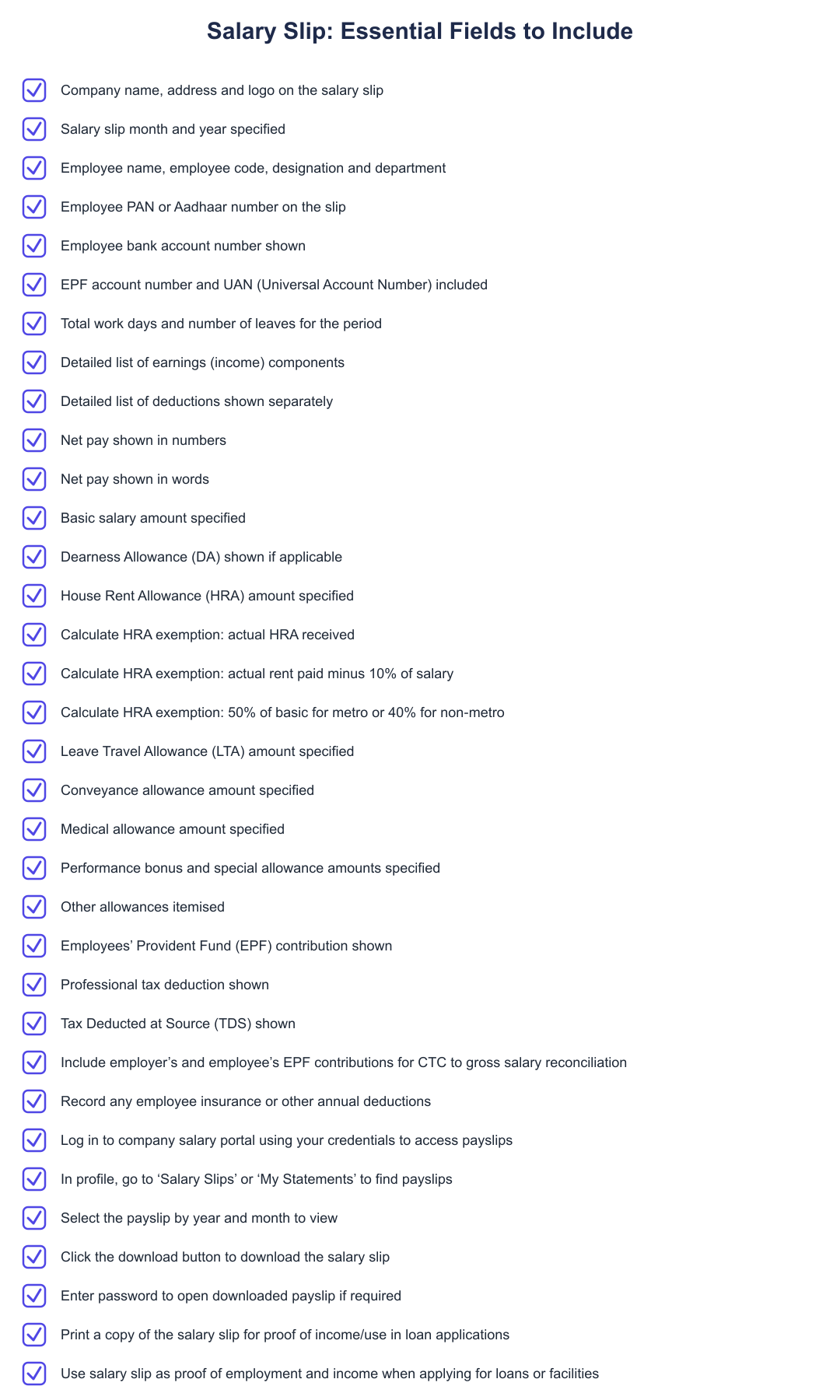
A clear payslip contains both employer and employee details and specific payroll information. Standard employer information includes the company name, address and logo, along with the salary slip month and year. Employee details typically include the employee’s name, employee code, designation and department, and identifiers such as PAN or Aadhaar and bank account number.
Payroll-specific fields on a salary slip include the EPF account number and UAN, total work days and number of leaves for the period, a detailed list of earnings (income) and deductions, and the final net pay shown both in numbers and words. Presenting these fields consistently each month helps employees and third parties (like lenders) verify income and statutory compliance.
Download Salary Slip Sample Template:
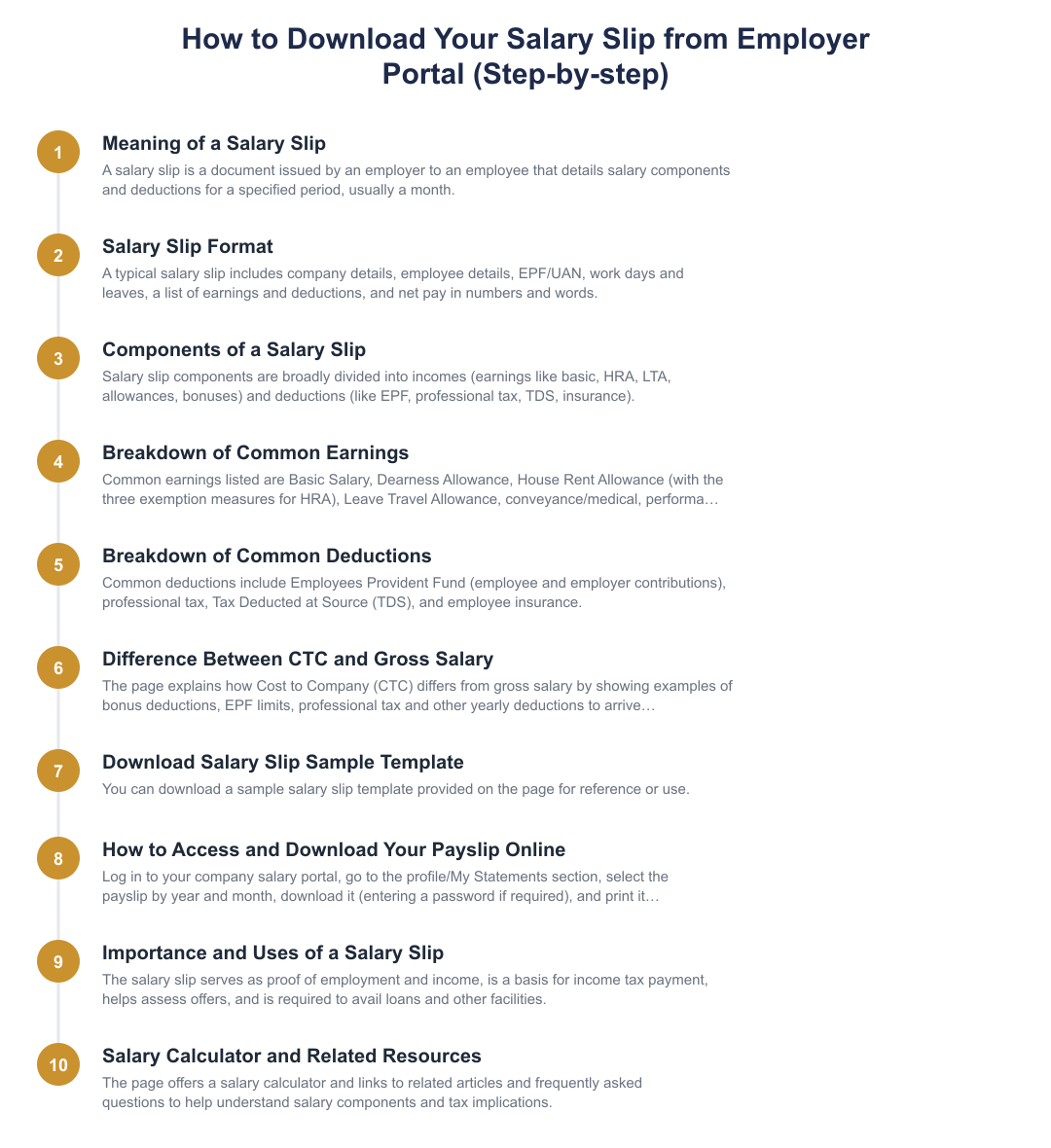
Use your employee credentials to access the payroll or salary portal provided by your employer.
In the profile or 'My Statements' area, look for the 'Salary Slips' or 'Payslip' option to view available records.
Choose the relevant payroll period to open the payslip for the specified time period (usually a month).
Download the payslip from the portal. You may be prompted for a password to open the file; enter it if required and then print or save as needed.
Components of a Salary Slip
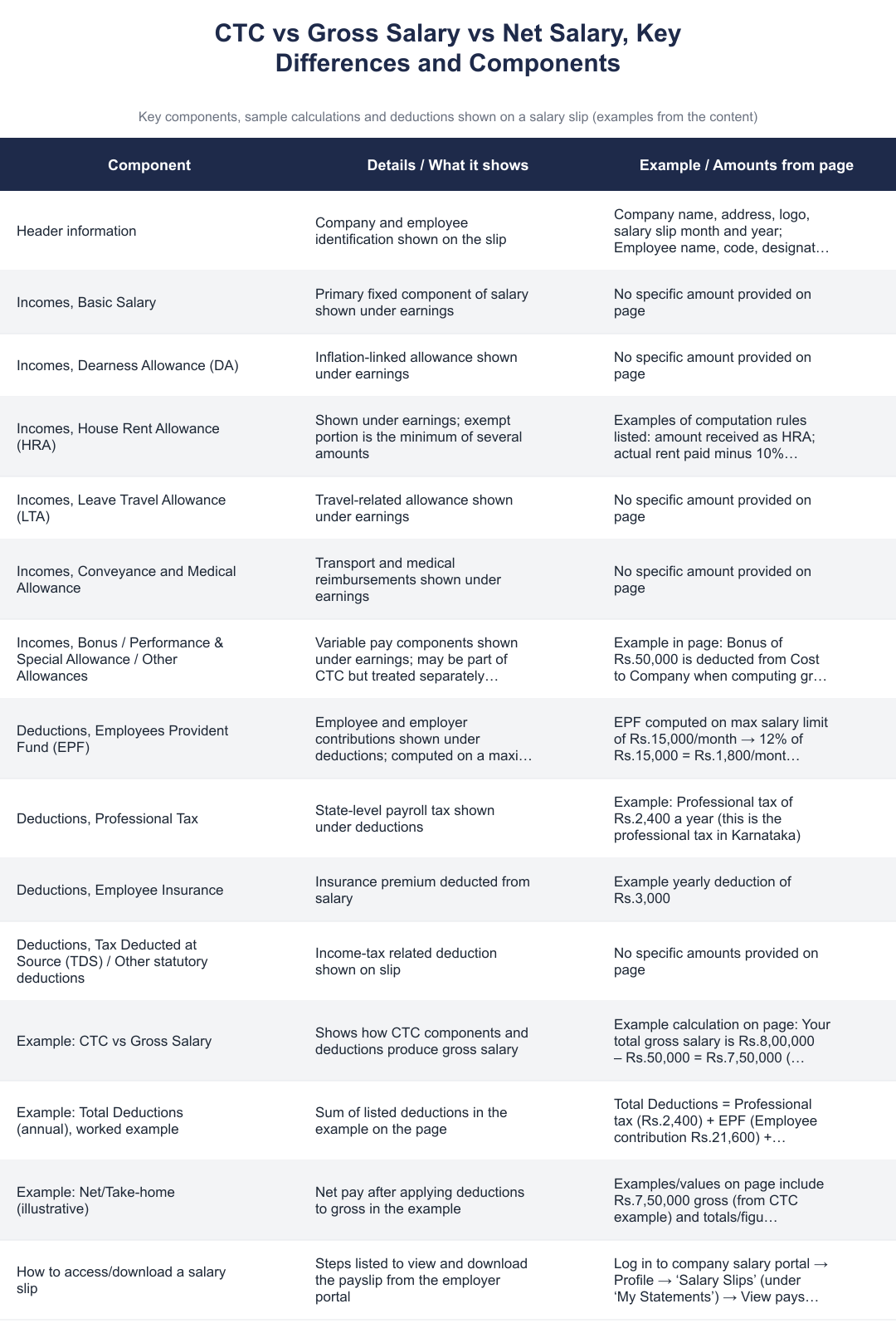
| Earnings (Income) | Deductions |
|---|---|
| Basic Salary | Employees Provident Fund (EPF), employee and employer portions shown as deductions |
| Dearness Allowance (DA) | Professional Tax |
| House Rent Allowance (HRA) | Tax Deducted at Source (TDS) |
| Leave Travel Allowance (LTA) | Employee insurance |
| Conveyance and Medical Allowance | Other statutory or company deductions |
| Performance Bonus and Special Allowance | |
| Other Allowances |
HRA exemption, how it is worked out
House Rent Allowance (HRA) exemption under income tax is determined by comparing three amounts and taking the least. The three amounts are: actual HRA received from the employer; actual rent paid minus 10% of salary; and a percentage of basic salary, 50% for employees living in metro cities and 40% for those in non-metro cities.
This computation is done when taxpayers claim HRA exemption while filing returns. The salary slip itself will show the HRA component received; to apply the exemption you need the HRA figure from the payslip, the basic salary and records of actual rent paid.
Difference Between Cost to Company (CTC) and Gross Salary
Cost to Company (CTC) is a total compensation figure an employer uses to describe the full cost of an employee, and it is different from gross salary. Certain components might be included within CTC but are not part of gross salary paid monthly, or some elements (for example, performance bonus) may be part of CTC and then adjusted or deducted to arrive at gross salary.
When you compare an offer letter to your payslip, check which CTC components are paid monthly, which are variable, and which cover employer contributions (such as employer EPF) or one-time payments. The payslip shows the gross salary and then itemised deductions that lead to your take-home pay.
Salary Calculator, practical use
A salary calculator helps you translate gross salary into take-home pay by considering earnings and deductions that appear on your payslip. Use the payslip components, basic, HRA, allowances and statutory deductions like EPF and TDS, as inputs to understand monthly net pay and yearly taxable income.
Even without a specific calculator here, reconciling your payslip with your offer (CTC) and understanding which components are taxable, exempt, or part of employer contributions will make it easier to plan taxes, savings and loan applications.
Frequently Asked Questions
What information must a salary slip contain? A salary slip should include employer name/address/logo and the salary month and year; employee name, code, designation and department; PAN/Aadhaar and bank account details; EPF account number and UAN; total work days and leaves; a detailed list of earnings and deductions; and the net pay in numbers and words.
How often is a salary slip issued? Salary slips are issued for a specified time period, usually a month.
Can I download past payslips? Yes. Employers provide salary slips via online salary portals where employees can log in, navigate to the payslips section, select the month and year and download the file. The downloaded file may require a password to open.
A well-structured salary slip makes it straightforward to verify earnings, statutory contributions and tax deductions, supports loan and other applications, and is essential for annual tax filing. Check your payslip each month against the format and components outlined here, especially EPF entries, HRA received and the breakdown between gross salary and deductions, to ensure your payroll is accurate and aligns with your CTC and tax planning.
Frequently asked questions
What is a salary slip and what information does it contain?
A salary slip is a document issued by an employer that lists detailed salary components and deductions for a specific pay period, usually a month. It typically shows company name, logo, month and year, employee name, code, designation, PAN/Aadhaar, bank account number, EPF account/UAN, total work days and leaves, a breakdown of earnings (basic, HRA, LTA, conveyance, bonus, allowances) and deductions (EPF, professional tax, TDS), and the net pay in numbers and words. Employers may also include cost-to-company (CTC) details and year-to-date totals on the slip. A salary slip is used for proof of income, tax filing, loan applications and verifying statutory contributions like EPF and TDS.
How do I download my salary slip from the company portal?
You can download your salary slip by logging into your company's salary portal, going to the profile or ‘My Statements’ section and selecting ‘Salary Slips’ or ‘Payslip’. Choose the year and month you want, click view or download, and if the PDF is password protected enter the provided password to open it; then you can print or save it for records. Portals usually show monthly slips and provide a download button; some companies may email slips or make them available through HR systems. If you don't see your slip, contact HR or payroll for access or password details.
What are the main components of earnings on a salary slip?
The main income components shown on a salary slip are Basic Salary, Dearness Allowance (if applicable), House Rent Allowance (HRA), Leave Travel Allowance (LTA), conveyance and medical allowances, performance bonus or special allowances, and any other allowances. Basic salary forms the base for many calculations and HRA is often partly exempt from tax subject to conditions; LTA reimburses travel expenses as per company policy. Employers sometimes show other specific allowances (uniform, meal, telecommuting) and may itemize CTC components separately.
What deductions are typically shown on a salary slip?
Deductions on a salary slip typically include Employee Provident Fund (EPF) contribution, professional tax, Tax Deducted at Source (TDS), and any employee insurance or loan repayments. EPF is usually 12% of salary and is computed on a salary cap of Rs.15,000 per month for statutory limits in many cases, while professional tax varies by state (for example Karnataka’s annual professional tax shown as Rs.2,400 in the example). Employers also often show employer and employee EPF contributions separately and list year-to-date deduction totals for clarity.
How is HRA exemption calculated on a salary slip?
HRA exemption is calculated as the least of three amounts: actual HRA received from the employer, actual rent paid minus 10% of salary, or 50% of basic salary for metro city residents (40% for non-metro residents). For HRA to be partly exempt, you must be paying rent and have supporting rent receipts or declare the arrangement; the employer calculates the exempt portion and shows taxable and exempt HRA on the slip. If you live in a metro city (Delhi, Mumbai, Chennai, Kolkata) the 50% benchmark applies; otherwise use 40% when computing the exemption.
What is the difference between Cost to Company (CTC) and gross salary on a salary slip?
CTC is the total cost the employer incurs for an employee, while gross salary is the total earnings before deductions that the employee receives in hand calculations. CTC often includes employer contributions (like employer EPF), bonuses, insurance and other perquisites that may not be part of monthly gross cash salary; gross salary is shown on the payslip as the sum of basic and allowances before EPF, TDS and other deductions. For example, a bonus included in CTC may be excluded from monthly gross until actually paid, so your take-home pay will be lower than CTC after all deductions are applied.
How is a salary slip used for income tax and loan applications?
A salary slip is used as documentary proof of income for income tax filing and as evidence of salary when applying for loans or credit, because it shows gross earnings, deductions, and net take-home pay for specific months. Lenders and tax authorities rely on payslips to verify declared income, compute eligible loan amounts and check TDS and statutory contributions like EPF; many loan applications request multiple months’ salary slips and year-to-date totals. Keep printed or PDF copies, and ensure PAN/Aadhaar and bank details are visible on the slip for smoother verification during loan processing or tax assessments.
Is there a salary slip template I can download and customize?
Yes, sample salary slip templates are usually available for download and can be customized to include company name, address, logo, employee details, earnings, deductions, and net pay in numbers and words. Templates typically include sections for PAN/Aadhaar, bank account, EPF/UAN, total work days and leaves, detailed earnings (basic, HRA, LTA, allowances) and deductions (EPF, professional tax, TDS), and year-to-date summaries. Use the template that matches your payroll requirements and ensure statutory information like EPF numbers and tax calculations are accurate before issuing.
How can I check year-to-date totals and net pay from my salary slips?
You can check year-to-date totals and net pay by reviewing the cumulative figures often printed on the salary slip or by downloading monthly slips and summing the earnings and deductions for the financial year. Many payslip formats include year-to-date columns for gross salary, total deductions, employer and employee EPF contributions and net pay to date; if not, download each monthly PDF and add the values to get the annual totals. These year-to-date figures are useful for tax return filing and verifying that employer contributions and TDS have been correctly reported.
Need help staying Finance Templates compliant?
MoneyGence's AI Finance OS tracks your compliance, wallet share, and finances in one place, built for agencies and growing businesses.
Get started with MoneyGence